
Let’s face it, small businesses can’t get by without a website anymore.
Even before the pandemic , 70-80% of people were researching companies online before visiting or buying from them. Just imagine how many customers you could be losing if you don’t own a website in 2026.
But we understand why so many small businesses are holding back. Building your own website used to be daunting, with endless decisions to make, coding to learn, designs to coordinate, and more.
But not anymore!
Thanks to the proliferation of user-friendly, drag-and-drop website builders, you can quickly create a vibrant, eye-catching website.
We rounded up this comprehensive guide to help you find the best website builder for your small business. And without further ado, here are our top 15 picks.
Why compare small business website builders
Even though many popular website builders are on the market, it’s hard to pick one that’d fit every business’s needs.
If you’re just getting started, you’ll want to find an intuitive website builder that’ll not only help you achieve your business goals but you’ll also actually enjoy using it. After all, building a website isn’t just a one-off process. As your business grows, you’ll want to have the full flexibility of updating your website and its content.
At the same time, you’ll want to make sure that your website builder will help your get your business found online. The website you build with it needs to be optimized for the search engines and integrate well with other marketing channels like email, social media, or paid ads.
The good news is that the website builders below check most (if not all) of these boxes. And while our top pick is the GetResponse AI Website Builder (and you’ll soon know why we picked it), we suggest that you check out all the tools listed below and take them for a spin.
TL;DR: Best website builders for small businesses (2026)
If you just want the quick shortlist, these are the top picks from this guide—covering fast setup, great design, serious ecommerce, and beginner-friendly simplicity.
- GetResponse: fastest all-in-one option with AI site creation + built-in marketing tools.
- Squarespace: best for design-first small business sites (portfolios, services, creatives).
- Wix: best mix of flexibility + features for most SMBs (templates, apps, ecommerce).
- WordPress.com : best all-in-one WordPress builder with managed hosting included.
- Shopify: best for ecommerce businesses that want to scale.
- BigCommerce: best for larger catalogs and multi-channel selling without platform transaction fees.
- Carrd: best for simple one-page sites and landing pages.
| Website builder | Best for | Key pros | Pricing (from) |
|---|---|---|---|
| GetResponse | All-in-one website + email marketing + automation | AI website creation, drag-and-drop editor, built-in marketing tools (forms, popups, automation, funnels) | $15/month |
| Shopify | Serious ecommerce stores | Strong ecommerce features, huge app ecosystem, multi-channel selling | $29/month (billed yearly) |
| BigCommerce | Scaling ecommerce with built-in features | No platform transaction fee, advanced SEO tools, multi-channel integrations | $39/month (billed annually) |
| Squarespace | Design-first business sites | Polished templates, strong blogging, solid ecommerce tools | Paid plans (varies by region) |
| Webflow | Advanced design control (no-code) | High customization, strong SEO controls, great learning resources | Free to start; paid site plans for custom domain |
| Wix | Maximum flexibility + lots of apps | Large template library, app market, ecommerce-ready plans, SEO helper | Free plan; paid plans vary by region |
| WordPress.com | Managed WordPress with hosting included | Free plan available, strong themes/patterns, scales into business features | Free plan; paid plans vary by region |
| Carrd | One-page sites & simple landing pages | Fast setup, lightweight templates, very affordable upgrade for custom domains | Free plan; Pro from ~$19/year |
Here are the best website builders for small businesses
1. GetResponse’s Website Builder with AI

Why’s this a good website builder for small businesses?
The GetResponse AI Website Builder is great for small businesses because that’s who it was created for – busy small business owners who don’t want to learn how to code or don’t want to hire a developer to build and manage a website for them.
Our AI-driven website builder, one of the first of its kind, will do all the work for you. Just answer a few simple questions and choose a design style, and you’ll get at least three personalized templates to choose from.
And of course, if you’d rather start from scratch or using a ready-made website template and customize it to match your branding, you can do all that with ease using our intuitive drag-and-drop editor.
Plus, we offer a comprehensive solution, syncing the marketing tools we’re already known for with a website builder — meaning you won’t have to figure out how to get everything to work together. Because it already does.
As Artur Undro, Software Architect at GetResponse, says, “Building a website doesn’t have to be hard. The GetResponse Website Builder was created with some of today’s most advanced and intuitive online technologies — meaning we’re able to offer our customers an experience that is not only a lot easier but also more enjoyable! Create complicated things in an uncomplicated way.”

Pros
- Easy to use AI builder creates an elegant, modern website using the best UX practices in just minutes.
- With the paid version, you can assign your custom domain or use one of our free domains at no extra cost. It’s 100% all about your brand.
- Integrated marketing tools like Marketing Automation, Signup Forms, Live Chats, Pop-ups, Conversion Funnels, Social Media Ads, and more — all in one place.
- AI technology continues to research similar businesses in your industry, learning over time and giving you better insights and information to keep conversions high.
- User-friendly editing tools allow you to make changes in a few easy clicks, without worrying about breaking your site or messing up the appearance.
- Stock photography via our integration with Unsplash.
Cons
- There’s no CMS (content management system) for the blog yet — although if you’re a blogger, you can easily link out to an existing site. And we’re still working on adding the migration of existing websites along with ecommerce features.
- No ecommerce solutions (yet) so you can only link out to your estore or add buttons like PayPal or DonorBox (via custom code element).
- The website builder doesn’t use plugins, so this may come to you as a surprise.
- The builder is not available for freemium users
Pricing
You can access the Website Builder, along with its fully customizable templates, drag-and-drop editor, and AI Builder. You can also use our free domains or assign your custom one with the paid plan.
And if you like what you see, you can subscribe to our paid plans starting from $15/mo.
Want to see the website builder in action? Test it yourself here or watch our webinar recording down below.
2. Carrd

Why’s this a good website builder for small businesses?
Carrd, like the name implies, is a good tool for creating a website that acts as a digital business card, making it useful for small businesses who only need simple one-page websites like personal profiles, portfolios, or landing pages.
According to Carrd, their builder is simple, responsive, and totally free. As one reviewer on G2 noted, “This is a great website for using attractive, pre-made, one-page website templates…I would recommend this for folks who need a temporary website solution.”
Pros
- A simplified user interface makes it easy to create one-page sites like personal profiles, portfolios, and landing pages to capture emails.
- Free plan that will publish your site to a carrd.co URL for an unlimited amount of time.
Cons
- One-page website limitation is not enough for those who need a more functional site. Plus, single-page websites are typically poor performers when it comes to SEO (search engine optimization) because they can only be optimized for a single keyword phrase.
- No ecommerce solution. The best it can do is link to an online store that’s hosted elsewhere. So if you need to sell products on your website, Carrd isn’t for you.
Pricing
As mentioned, Carrd offers an unlimited free plan. Their Pro plan which costs just $19 per year and includes the following features:
- Custom Domains — publish sites to any custom domains you own with full SSL support.
- Build and publish more than three sites from a single Carrd account.
- Forms — add contact, signup, custom, and payment-enabled forms.
- Embed your own custom code and widgets from third-party services like Stripe, PayPal, Gumroad, Typeform, and more.
- Add Google Analytics to each of your sites to track and report traffic.
- Publish sites without the “Made with Carrd” branding in the footer.
3. Squarespace

Why’s this a good website builder for small businesses?
Squarespace is one of the major DIY website builders out there with clean, professional design templates. It’s good for small businesses in creative fields where design aesthetics are especially important.
However, the structured editor protects the designs at the cost of customization, leaving you with little freedom to personalize your site beyond the template.
Pros
- Professional-level website designs with hundreds of responsive templates that are both aesthetically superior and easier to navigate than most.
- Robust ecommerce tools and integrations that include Square for your point-of-sale system, USPS and ShipStation for shipping, and Xero for accounting support.
- Strong blogging features that allow you to schedule posts to publish later, enable an RSS feed, use email to write new posts when you’re away, and integrate with iTunes podcasting.
Cons
- Lack of full creative control in the structured editor. You can’t edit, move, resize, or re-color the page elements as easily as you can with other builders.
- Learning curve is required to get the hang of the slightly non-intuitive editor and user interface.
- No free plan (but they offer a two-week free trial).
- Support is primarily via live chat and email (availability varies by language/region).
Pricing
As mentioned, you can try Squarespace free for two weeks. If you want to stick around after that, Squarespace offers multiple plan tiers; plan names and pricing can vary by country and billing cycle, so reference their pricing page for current rates.
Personal accounts include a free custom domain and SSL certificate, unlimited bandwidth and storage, 24/7 customer support (via chat only, no phone support), and basic website metrics.
Depending on your country, you’ll see either Personal/Business/Commerce tiers or Basic/Core/Advanced tiers—confirm current plan names and prices on Squarespace’s pricing page. Each adds progressively more marketing and ecommerce features like promotional pop-ups and banners or abandoned cart recovery.
But the most significant difference is with transaction fees. The Business account lets you sell with a 3% transaction fee but upgrading to a Commerce account (either Basic or Advanced) removes the fee entirely. And depending on how much you’re planning to sell, that could make all the difference.
4. Webflow

Why’s this a good website builder for small businesses?
On the other side of the customization spectrum from Squarespace, you have Webflow. In fact, Webflow is so customizable that it actually targets web designers, rather than users with less skill or technical expertise as many other website builders do.
For this reason, Webflow is often compared to WordPress.org but they claim to offer more creative freedom, better site security, and greater ease of use — all with no coding required.
The innovative platform, which is an alumnus of the Y Combinator startup accelerator, is a good choice for small businesses that have designers on staff or anyone with advanced technical skills. It’s also good for businesses that need a high level of customization but can’t afford a developer.
On the flip side, Webflow is not a good choice for beginners or anyone without a lot of time on their hands.
Pros
- Fully customizable, giving you complete control over your web design, including layouts, responsiveness, styling, and interactions.
- 100+ responsive templates, filtered by industry or business type.
- Ability to build from scratch without any coding skills.
- Powerful SEO tools like automatically generated sitemaps and customizable 301 redirects.
- Enterprise Site plans include an uptime SLA (guaranteed uptime); other tiers reference a standard agreement.
- Helpful tutorials from Webflow University.
Cons
- Difficult to use compared to other builders. (That’s the trade-off that comes with Webflow’s level of customization.)
- An intimidating editor that’s chock full of options likely to simultaneously delight designers and overwhelm beginners.
- Support is primarily handled via Webflow’s Support Portal (email-based tickets), plus the Help Center and Webflow University resources (no phone support listed on pricing).
Pricing
Webflow pricing is split into two separate parts: Workspace plans (for staging sites and team/client collaboration) and Site plans (for publishing/hosting a specific site on a custom domain). Each site you publish to a custom domain needs its own Site plan, billed separately from your Workspace plan. Webflow also offers optional ecommerce plans as an add-on for stores.
Site plans are for personal websites, blogs, businesses, and ecommerce sites and they range in price from $12 a month to $212 a month.
Account plans are for agencies or freelancers who are using Webflow to build websites for clients. These plans start at $16 and go up to custom enterprise pricing.
Webflow lets you start for free with Starter plans, but you’ll need a paid Site plan to publish to a custom domain. So you can start building up to two projects for free, with no time limit, and add a paid plan if and when you’re happy with the results.
5. Weebly

Why’s this a good website builder for small businesses?
Rated best website builder for beginners by the likes of Neil Patel, Weebly’s free platform is one of the easiest around.
Its site creation tool has a clear, simple interface that lets you easily build excellent-looking, responsive websites. And Weebly’s limited number of attractive templates and integrated ecommerce tools get the job done without sending you into decision overload.
Pros
- Intuitive, simple interface, plus chat & email support on all plans (phone support on paid tiers).
- Beginner-friendly, drag-and-drop editor.
- Robust features for ecommerce stores.
- Free version with a Weebly-based domain name, SSL security, and unlimited storage (per Weebly’s pricing table).
Cons
- Limited customization options in the editor.
- No undo button. So if you make a change and don’t like it or accidentally click on the wrong thing (as beginners are apt to do), you can’t go back.
- No mobile preview
- Tedious blogging interface. Since Weebly doesn’t offer standard blog templates, you have to drag text and images every time you want to use them. If you’re blogging frequently, this is a factor to consider.
Pricing
As mentioned, Weebly offers a free plan. If you’re just starting out and don’t mind the ads and domain name, this is a good option to get you off the ground without burning any cash.
Weebly lists four tiers on its pricing page: Free, Personal, Professional, and Performance. Prices vary by monthly vs annual billing, so use Weebly’s pricing table for the current amounts.
The Professional plan costs $16 a month. This plan adds unlimited storage, a free domain name, site search, password protection for up to 100 site members, and improved site statistics.
The Performance plan is the highest level at $29 a month and caters to ecommerce businesses. Performance sites can sell unlimited products and receive payments through PayPal. It also allows site visitors to leave item reviews, print shipping labels, and access customer support.
Read more related content:
1. How to build a website from scratch
2. Best free website builders in 2026
3. Why do I need a website? 5 key reasons
6. Site123

Why’s this a good website builder for small businesses?
If Weebly sounds like it might be up your alley, Site123 deserves a look too. As the name suggests, you can put together a website on Site123 in just three steps: choose a design, add content, and go live.
SITE123 lets you choose your website type: Single Page (one long scrolling page with sections), Multipage (separate pages), or Landing Page. So it can work like Carrd, but it doesn’t have to. Site123 is a good choice for small businesses with basic needs and not a lot of time.
Pros
- Easy to use.
- Built-in blogging feature for creating and publishing blog posts (good for basic small-business blogging).
- Ecommerce capabilities.
- Free plan (with Site123 branding and URL).
Cons
- Single Page mode groups content into sections on one scrolling page (Multipage is available, but the builder is still more structured/less flexible than advanced builders).
- Limited customization in the editor makes it difficult to create a unique website.
- Limited product integrations and app store.
Pricing
As we mentioned, Site123 offers a free plan that is good enough to create a small website and get moving quickly. The Free plan includes 250 MB storage, 250 MB bandwidth, and a subdomain (per SITE123’s pricing page).
SITE123’s Premium plan includes a free domain for 1 year, 3GB storage, 3GB bandwidth, domain connection, and a store. Their pricing FAQ notes that connecting a custom domain can be “as low as $10.8 per month” on an annual plan paid up front. Premier also includes a free domain for a year, removal of Site123 branding, and ecommerce capabilities.
7. Mailchimp

Why’s this a good website builder for small businesses?
Mailchimp is the website builder most similar to GetResponse because of its integrated marketing tools. It’s based on the same premise that if you’re already using Mailchimp for all of your marketing needs, why not use their website builder too and have everything in one place?
Obviously, we think this is a great idea but the devil is in the details. Mailchimp’s website builder is more layout- and theme-based than template-heavy. Mailchimp lists “pre-designed layouts and themes,” but the design system is fairly structured compared to builders with large template libraries.
This means it’s going to require more time and skill to build an attractive website using Mailchimp’s tool. It also means that your design options are going to be quite limited, really just down to font and color.
Pros
- Integrated marketing tools like an email builder, marketing CRM, forms, landing pages, and custom branding.
- SEO tools including the ability to select a target audience for your site.
- A flexible payment option that allows you to pay as you go.
- Ecommerce solution.
- Free Websites plan includes a free Mailchimp domain; connecting a custom domain requires a paid Websites plan.
Cons
- No templates or AI builder.
- Unorganized and confusing interface, most likely due to all the other tools and features that you have to navigate through to find what you want.
- Limited customization and design options.
- Limited product integrations and technical features.
Pricing
As mentioned, Mailchimp has a Free Marketing plan. Mailchimp’s Help Center says it includes up to 250 contacts and 500 sends per month (with a daily send limit of 250).
Mailchimp offers three paid tiers — Essentials, Standard, and Premium. Mailchimp paid Marketing plans (Essentials, Standard, Premium) are priced by your contact tier and sending limits, so the exact monthly cost varies.
Standard and Premium pricing depends on the number of contacts stored across your audiences and your plan tier. You can also create custom templates with this plan and manage your target audiences. The Premium plan is the highest level at $299 a month and is designed for advanced users who want specific customization.
8. Wix

Why’s this a good website builder for small businesses?
One of the coolest things about Wix is that it covers the whole ease-of-use spectrum by offering both an AI builder on one end (requiring minimal effort from the user) and an open development platform on the other (where advanced users can create fully customized sites).
So no matter where you land on the spectrum, Wix likely has something for your small business.
Pros
- Lots of opportunity for customization as Wix allows you more freedom in the editor to move things around.
- Site Level SEO assistant to improve search ranking.
- Simple undo and redo buttons, in case you get overly enthusiastic with all the options and mess things up.
- Over 900+ free templates are available, making it easier to create a website that’s unique.
- Powerful ecommerce features.
- Fully stocked app market with thousands of advanced design capabilities — events bookings, live chat, newsletter, blogging, opt-in forms, online ads, and more.
- Free plan available (with a Wix branded URL and 500 MB of storage and bandwidth).
Cons
- It’s easy to make design mistakes because of the freedom allowed within the editor.
- Large number of templates can be overwhelming.
- You can’t switch to a different template for an existing Wix site; changing templates requires starting a new site and transferring what you can.
- Wix sites can’t be exported to run on another host—Wix states the site needs to be hosted and operated on Wix’s servers for it to work properly.
Pricing
If you want to upgrade from Wix’s free plan, the paid plans fall into two categories: website plans and business/ecommerce plans.
Wix groups its Premium plans into tiers like Light and Core (for getting online and growing an audience) and Business / Business Elite (for accepting payments and running ecommerce). Exact prices vary by location and billing cycle, so use Wix’s official plans page for current pricing.
Wix’s ecommerce-ready tiers start at Core and scale up through Business and Business Elite, adding more storage, ecommerce, marketing, and collaboration features as you move up.
9. WordPress
Why’s this a good website builder for small businesses?
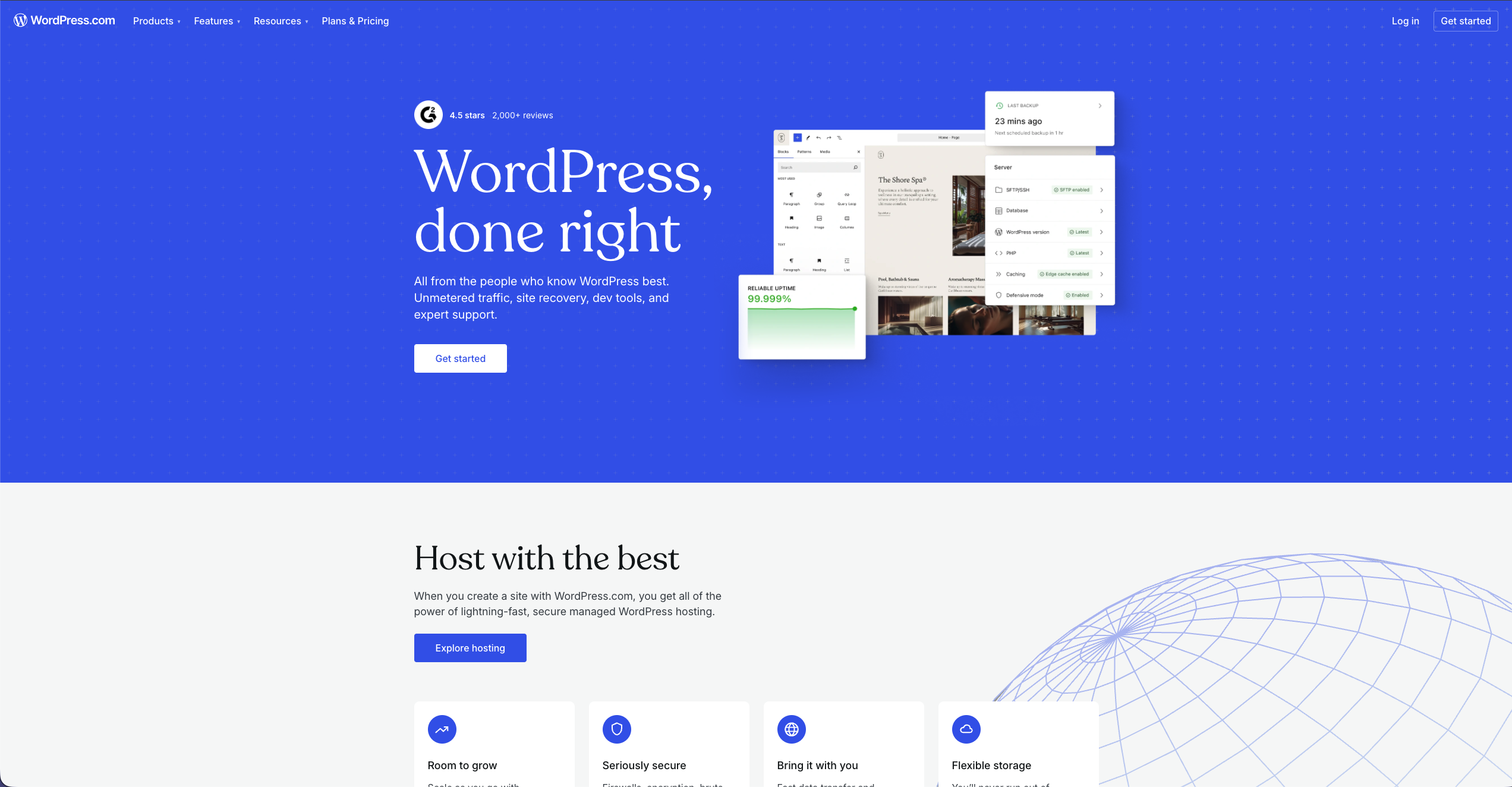
WordPress.com is a strong option for small businesses that want an all-in-one website builder with managed hosting included. You can start with a free site, choose from a large library of themes/patterns, and scale into paid plans when you need a custom domain, more design flexibility, and business features.
Pros
- Free plan available to get online quickly (with a WordPress.com subdomain).
- Hosting is included with every plan (including Free).
- Large theme/pattern ecosystem for quick, professional design.
- Paid annual plans include a free domain for the first year (good for branding).
- Built-in newsletter capability (good for small businesses that publish updates/content).
Cons
- The free plan uses a WordPress.com subdomain (your-site.wordpress.com).
- Prices and plan availability vary by country/currency and billing period, so you should reference the official pricing page for the exact current amount.
- Some advanced features (like installing plugins) depend on your plan tier.
Pricing
WordPress.com offers a free plan and multiple paid plans. Hosting is included with all plans, and paid annual plans include a free domain for the first year. Exact prices vary by location and billing cycle, so verify the current numbers on the official pricing page.
10. Duda

Why’s this a good website builder for small businesses?
Duda is a solid choice for small businesses looking for a strong, template-based builder. Its mobile designs are top-notch and it offers strong ecommerce options at all levels.
Its pricing plans are especially geared towards agencies and small businesses that are creating websites for others. That said, if you need serious customization beyond the templates, Duda’s not the best choice. If you’re looking for something good right out of the box though, Duda is worth a look.
Pros
- Easy-to-use structured editor with a clean and consistent layout.
- Customization options for mobile devices.
- Powerful site traffic analytics.
- 100+ attractive, responsive templates.
- Strong ecommerce options.
- Unlimited storage and monthly data transfers with all plans.
- Wide range of apps and widgets to personalize your site.
Cons
- No free plan, but Duda offers a 14-day free trial (trial includes White Label-level access).
- Can’t switch templates.
- Limited SEO features.
- Limited customization beyond the template.
Pricing
Duda offers five plans: Basic, Team, Agency, White Label, and Custom. Pricing depends on monthly vs yearly billing. The first is the Basic plan at $19 per month which allows one user and one website with email support only. Team adds more collaboration features and users. For customers on an Agency plan or above, Duda offers phone and live chat support during listed hours; otherwise support is handled through the support portal/web form.
Agency is up next at $59 per month. This plan allows you to have up to 10 users, build up to four websites, and create custom widgets with unique capabilities. Duda also has a custom option with managed services and 24/7 dedicated support, but you have to contact them for a quote.
11. GoDaddy

Why’s this a good website builder for small businesses?
Building on its strength as the world’s biggest domain registrar, GoDaddy launched the current version of its website building tool in 2019. It’s designed with small business owners in mind and uses AI technology to create customized websites.
GoDaddy’s builder doesn’t offer much in the way of customization or advanced ecommerce options, however. And its template designs aren’t the most aesthetically pleasing so it’s not ideal for artistic or creative sites. But it’s useful for small businesses that need to publish a simple site quickly.
Pros
- AI builder creates a website in minutes.
- Easy-to-use interface.
- A free version is available (after a 7-day trial of premium features).
- Unlimited storage and monthly data transfers.
- Integrated marketing and SEO tools.
- Over 100 responsive templates.
Cons
- Limited customization and creative freedom.
- Limited photo editing tools.
- Ecommerce features are only available with the top tier paid plan.
- Can’t switch templates.
- Sites aren’t as aesthetically appealing as other website builders
Pricing
GoDaddy’s free plan provides for a single website with hosting, 24/7 support, and limited social and email marketing. If you need more features, GoDaddy lists three main paid Website Builder plans (Basic, Premium, and Commerce), plus a free version after a short trial of premium features. Plan features vary by tier and region, so reference GoDaddy’s plan comparison for what’s included.
The first tier, Basic, costs $9.99 a month and lets you connect a custom domain, one social media platform, five social media posts, and 100 marketing emails.
The Premium plan runs $14.99 per month.
The Commerce plan runs $20.99 per month.
GoDaddy’s Website Builder page lists a Commerce plan for selling online; availability can vary by region. It includes everything in the previous plans plus the ability to add and edit product listings, set up shipping options, sell items through an online store, manage promotions and discounts, and sell on online marketplaces, such as Amazon and eBay. If you’re serious about selling products online, the Commerce plan is the best-fit option in GoDaddy’s Website Builder lineup.
12. Shopify

Why’s this a good website builder for small businesses?
Shopify is a widely used ecommerce platform built to help businesses sell online, in person, and across multiple channels.
It’s packed with sales features and is compatible with most web hosting providers and credit card processing gateways. The convenience of this compatible, all-in-one solution allows you to quickly launch a store without much hassle. But that convenience can come with additional third-party transaction fees if you use an external payment provider (Shopify lists 2% on Basic, 1% on Grow, and 0.6% on Advanced).
Pros
- All-in-one solution including payment processing and marketing tools.
- Extensive third-party app store with over 3,000 apps.
- Supports over 100 payment options, as well as their own gateway, Shopify Payments.
- Powerful backend editor and inventory system make it ideal for managing and scaling larger stores.
- Reliable 24/7 support.
Cons
- Not as intuitive as other builders.
- Fewer built-in features than other builders, so you’ll need to use apps to improve the functionality of your store.
- Unless you use Shopify Payments, you’ll pay hefty transaction fees on top of other payment gateway costs.
- Hidden costs in the form of transaction fees and the need for additional apps can hike up the monthly cost of running your store.
- No free plan (but it does offer a 3-day free trial).
Pricing
Once your free trial is up, you can choose between three main tiers starting with the Basic plan (from $29 USD/month billed yearly). This tier is best for new ecommerce businesses with occasional sales and includes unlimited products and storage, 24/7 support, an SSL certificate, and two staff accounts.
The next tier is Grow (from $79 USD/month billed yearly) and adds additional staff accounts, reporting, and abandoned cart recovery. The top tier, Advanced (from $299 USD/month billed yearly), includes more staff accounts, advanced reporting, and an auto-shipping rate calculator.
Shopify also offers an enterprise-grade plan (Shopify Plus). Shopify’s pricing page lists Plus starting at $2,300 USD/month billed yearly on a 3-year term. Shopify also offers Starter ($5 USD/month), which is designed for selling via product links (for example through social media, email, SMS, or WhatsApp) without maintaining a full online store.
13. BigCommerce

Why’s this a good website builder for small businesses?
BigCommerce provides extreme scalability.
It has many built-in sales tools along with advanced SEO tools and multi-channel integration, clearly focusing on the needs of large, established businesses.
That said, beginners won’t necessarily find it hard to use. It’s just kind of overkill if you’re only selling a few products. Plus, being designed for complex businesses, it’s not super quick to set up.
Pros
- No additional BigCommerce transaction fee on any plan (you still pay standard payment processing fees from your gateway).
- Extensive built-in features which keep hidden costs down.
- Smooth multi-channel integration. If you’re already selling across marketplaces or social media, BigCommerce simplifies the next step.
- Advanced SEO tools.
- Unlimited staff accounts, products, storage, and bandwidth on all plans.
- 24/7 live agent support on all plans.
Cons
- Expensive advanced plans.
- Not quick and easy to set up.
- BigCommerce plans have annual online sales thresholds (you may need to upgrade plans as you grow).
- No free plan (but it does offer a 14-day free trial).
Pricing
BigCommerce offers four different ecommerce packages: Standard, Plus, Pro, and Enterprise. Standard starts at $39 per month (USD, billed annually on BigCommerce’s pricing page) and includes ecommerce features like multi-channel selling, real-time shipping quotes, and multiple payment options.
The Plus plan is listed at $105 per month (USD, billed annually) and includes advanced features like abandoned cart recovery. The Pro plan is listed at $399 per month (USD, billed annually) and adds features like product filtering and customer reviews. And the custom enterprise plan includes a dedicated SSL certificate along with priority support, one-on-one expert setup and migration, and advanced reporting tools.
14. Simvoly

Why’s this a good website builder for small businesses?
Although Simvoly is a new kid on the block in the website builder market, it’s catching on quickly among small and medium-sized businesses who appreciate its simple drag-and-drop builder and unique features.
Simvoly’s AI-powered Magic Website Builder, for example, will build a site for you in minutes based on basic information about your business. Or you can choose from a range of responsive templates spanning a variety of business types.
Simvoly also includes a unique sales funnel creator, integrated marketing tools, and the ability to easily switch themes. And its ecommerce function is interestingly geared towards those selling digital goods and downloads.
Pros
- Beginner-friendly drag-and-drop interface.
- Ecommerce functionality with digital download sales.
- Lets you easily switch themes.
- AI powered Magic Website Wizard will automatically build a site for you.
- Over 50 responsive templates to choose from.
- Unique sales funnel creation tool.
- No transaction fees on any plans.
Cons
- No photo editing tools.
- Lacks a widget marketplace.
- No shipping service integrations.
- No free plan (but it does offer a 14-day free trial).
- No live customer support.
- Lacks email marketing tools.
Pricing
Simvoly offers a 14-day free trial. On Simvoly’s pricing page, website plans start at $12/month and funnel plans start at $18/month (billing options can change, so verify the current tier prices on their pricing page).
Simvoly lists multiple tiers on its pricing page; confirm the current tier names and exact monthly/annual rates directly on their pricing table before publishing. and bumps you up to unlimited pages, 60GB of traffic, six domain connections, analytics, support, and 100 store products.
15. Dorik AI

Why’s this a good website builder for small businesses?
If you’re considering an easy-to-use builder that combines AI with no-code tools, Dorik AI could be just what your small business needs. Designed to help you build a professional website quickly, it lets you generate an entire site from scratch with just a prompt or customize one of its many templates.
The setup process is simple, so you can focus on adding your content and getting your site live without dealing with complex technical steps.
It works well for businesses looking for flexibility without sacrificing design quality. With its drag-and-drop builder and intuitive interface, even beginners can create polished websites tailored to their business.
Plus, it’s packed with useful features like AI-generated content, SEO tools, and responsive templates.
Pros
- Generate an entire website with a single prompt, allowing for quick setup.
- Access to 100+ professionally designed templates and 250+ UI blocks to tailor your site.
- Build your website visually, placing elements exactly where you want them without coding.
- Easily create and manage blogs while integrating SEO tools for better visibility.
- Seamlessly integrate with marketing, analytics, and payment tools to enhance your business site’s functionality.
Cons
- Although user-friendly, newcomers may need some time to fully explore all features and capabilities.
- Limited ecommerce functionalities.
Pricing
Dorik offers three plans tailored to various needs. Dorik’s Personal plan is listed at $20.75/month billed $249 annually (or $29/month billed monthly). It includes one custom domain, 25 pages, 200 blog posts, and up to 3,000 members, along with unlimited storage and AI site generation.
Dorik’s Business plan is listed at $41.5/month billed $498 annually (or $59/month billed monthly) and includes 3 custom domains (and unlimited pages).
Dorik lists an Agency plan as “Contact Us” / custom pricing on its pricing page. with unlimited domains, pages, collaborators, and members, plus premium options like custom fields and white-label documentation.
Questions you may have regarding website builders:
Which website builder is easiest to use?
Most of the website builders we’ve featured here are specifically built for entrepreneurs and small business owners. They aren’t built for developers — so the technical know-how required to use them is pretty minimal.
However, the GetResponse website builder stands out even among this crowd as especially easy to use thanks to its AI technology. With GetResponse you don’t have to spend time choosing from hundreds of templates. Just input some basic information and sit back. The AI builder will generate a few custom templates for you in minutes.
Plus, the GetResponse builder integrates all the marketing tools you need to run your business. This means everything will be in one place and it will automatically work together — no complicated plugins or addons to figure out.
Which website builder is best if I want to start for free?
If you want to publish without paying upfront, look for builders with a true free plan (not just a trial). Wix, Weebly, Mailchimp (websites), WordPress.com, and SITE123 offer free tiers—usually with a branded subdomain and limited features.
A free plan can be great for validating an idea, but most businesses eventually upgrade to connect a custom domain and remove platform branding.
Which website builder is best for ecommerce?
If ecommerce is your priority, Shopify and BigCommerce are built specifically for selling at scale and managing products, payments, shipping, and integrations. They’re typically the best fit for serious online stores.
If you only need light selling (a small catalog or a few digital products), some general-purpose builders can work—but dedicated ecommerce platforms are usually more reliable once your store grows.
Do I need coding skills to build a website with these tools?
No. Most modern builders are designed to be no-code, using drag-and-drop editing, templates, and pre-built sections. You can launch a professional site without touching HTML or CSS.
That said, tools like Webflow offer much deeper control. You still don’t need to code, but it can feel more complex because you’re working with design and layout systems that are closer to professional web design.
Are website builders good for SEO?
They can be. The basics matter most: fast performance, mobile-friendly design, clean site structure, and the ability to edit titles, meta descriptions, headings, image alt text, and URLs.
For best results, pick a builder that makes these settings easy to manage and supports blogging or content updates—because consistent content and optimization usually beat “perfect” settings that never get used.
Can I switch website builders later?
Sometimes. Moving platforms can range from easy (rebuilding pages using your existing content) to difficult (if your builder doesn’t support exporting site structure or design). Many businesses “migrate” by copying content and rebuilding the layout in the new builder.
If you think you’ll switch later, use a custom domain from the start and keep your core content (copy, images, product data) well organized so you can reuse it elsewhere.
Conclusion (Bonus: Webinar Recording)
As you can see, if you’re in the market for a small business website builder, there’s a little bit of something out there for everyone these days. Whether you need a quick, one-page site to house a professional website or a multi-page ecommerce store, one of these popular website builders is sure to do the trick.
Best of luck!
